<?xml version="1.0" encoding="UTF-8"?>
<rss version="2.0"
	xmlns:content="http://purl.org/rss/1.0/modules/content/"
	xmlns:wfw="http://wellformedweb.org/CommentAPI/"
	xmlns:dc="http://purl.org/dc/elements/1.1/"
	xmlns:atom="http://www.w3.org/2005/Atom"
	>

<channel>
	<title>Graphical editors review</title>
	<atom:link href="http://www.alivecolors.com/?feed=rss2" rel="self" type="application/rss+xml" />
	<link>http://www.alivecolors.com</link>
	<description></description>
	<pubDate>Mon, 02 Mar 2009 17:15:53 +0000</pubDate>
	<generator>http://wordpress.org/?v=2.6.5</generator>
	<language>en</language>
			<item>
		<title>Invent Media Flash Photo Gallery 1.0</title>
		<link>http://www.alivecolors.com/?p=45</link>
		<comments>http://www.alivecolors.com/?p=45#comments</comments>
		<pubDate>Mon, 02 Mar 2009 17:15:53 +0000</pubDate>
		<dc:creator>admin</dc:creator>
		
		<category><![CDATA[Online Photo Editors]]></category>

		<guid isPermaLink="false">http://www.alivecolors.com/?p=45</guid>
		<description><![CDATA[


Invent Media Flash PhotoGallery is a free, simple to implement flash photo galley that requires absolutely no Flash or ActionScript skills to implement. The flash file is easily embed into your webpage and the image files are read from an .xml file that can be easily edited using any text editor.
Editor review: Reviewer, 2009-01-19 07:11:00
Free [...]]]></description>
			<content:encoded><![CDATA[
<!-- ALL ADSENSE ADS DISABLED -->
<p><a href="http://www.alivecolors.com/wp-content/uploads/2009/03/15.jpg"><img class="alignnone size-medium wp-image-46" title="15" src="http://www.alivecolors.com/wp-content/uploads/2009/03/15.jpg" alt="" width="133" height="103" /></a></p>
<p>Invent Media Flash PhotoGallery is a free, simple to implement flash photo galley that requires absolutely no Flash or ActionScript skills to implement. The flash file is easily embed into your webpage and the image files are read from an .xml file that can be easily edited using any text editor.<br />
Editor review: Reviewer, 2009-01-19 07:11:00</p>
<p>Free Invent Media Flash PhotoGallery, a simple to implement flash photo galley that requires absolutely no Flash or ActionScript skills to implement. The flash file is easily embed into your webpage and the image files are read from an .xml file.<span id="more-45"></span></p>
<p>Pros: Invent Media Flash PhotoGallery is free. This lets you create a photo gallery in Flash but you do not need any skills in Flash or ActionScript either! The gallery can be easily embedded into a web page by editing some required code that is highlighted for guidance and using a simple text editor. Image file are read from this XML file. The images may be anywhere including sub directories. Captions for each photo also can be included via the XML file.</p>
<p>As implemented there`s a thumbnail bar and controls for going forward or backward or simply let the show play automatically. Image count is shown in the x of y format. The number of images used could be unlimited. You can set the show to be full screen. Zoom control is available. The application will fit the image to the screen no automatic resizing. Images are scalable, can be set to any size. Background color too can be selected and the same can be set to transparent mode. For customizing the gallery for your set of images the first step is to create thumbnails. You then edit the XML file and then just embed the whole thing into your website. Code changes necessary are clearly indicate in the documentation supplied.</p>
<p>Cons: You`ll need a separate program to create the thumbnails to the required size. Making all those changes indicated above could be quite a hassle.</p>
<p>Overall: Not so easy to use an image gallery that is feature rich, this application is easily good for a 3 star rating.</p>
]]></content:encoded>
			<wfw:commentRss>http://www.alivecolors.com/?feed=rss2&amp;p=45</wfw:commentRss>
		</item>
		<item>
		<title>Frame Photo Editor 3.2.0</title>
		<link>http://www.alivecolors.com/?p=42</link>
		<comments>http://www.alivecolors.com/?p=42#comments</comments>
		<pubDate>Mon, 02 Mar 2009 17:14:35 +0000</pubDate>
		<dc:creator>admin</dc:creator>
		
		<category><![CDATA[Graphical editors]]></category>

		<guid isPermaLink="false">http://www.alivecolors.com/?p=42</guid>
		<description><![CDATA[


Frame photo editor is a photo editor that would let you do the work YOUR way, but do it all for you. With Frame Photo Editor, you can easily enhance your photo effects by blending your digital photos onto another image. The photo will be masked as special effect which you can select from a [...]]]></description>
			<content:encoded><![CDATA[
<!-- ALL ADSENSE ADS DISABLED -->
<p><a href="http://www.alivecolors.com/wp-content/uploads/2009/03/14.jpg"><img class="alignnone size-medium wp-image-43" title="14" src="http://www.alivecolors.com/wp-content/uploads/2009/03/14.jpg" alt="" width="117" height="91" /></a></p>
<p>Frame photo editor is a photo editor that would let you do the work YOUR way, but do it all for you. With Frame Photo Editor, you can easily enhance your photo effects by blending your digital photos onto another image. The photo will be masked as special effect which you can select from a lot of masks that Frame Photo Editor provides.You can also easily add cool frame, pretty flowers and cartoon clips onto your pictures. And you can insert text into pictures with speech frame.<span id="more-42"></span> It makes your photo more interesting and attractive. You can easily change the size and position of the photos, flowers, cartoon pictures or text just by clicking and dragging them. You can even rotate the mask or the photo just with your mouse moving. After having edited pictures with Frame Photo Editor, you can print them, email them, or set as your Desktop Wallpaper. You may also upload onto website, your album on Internet etc. It is also a photo album page maker.<br />
Editor review: Reviewer, 2007-09-28 09:41:00</p>
<p>Make your picture more amazing and striking with different frames and clips. Frame Photo Editor is one really efficient piece of software that can help you to do this. Enjoy your time while playing up with your images in an interesting way.</p>
<p>Frame Photo Editor Software is a breeze while installing and downloading. The screen appearance is pleasant and well structured. The middle right side of the screen shows the picture and also is the working area. It has the simple options on the top and the left side of the screen which are easy to operate. You can change the background for the picture from the various given selection. Choose the photo through the options given at the left side and the selected photo is shown on the screen. You can add different mask to the picture by selecting one, there are different masks given with the program. If you don’t like a certain mask that you applied to the picture you can delete it with much ease. You can even add different clips to the images to make it more attractive. Insert text in the modified picture to make it more interesting, you can record the memories or even write humorous quotes. Insert frames from the large that is being offered by the program. Definitely your pictures would look stunning and amazing with the frames. You can any time erase the frame and also Zoom the image if required. You can have the best fit or your picture and also have the actual size of it. Save the images, set them as your wallpaper and also share them with your friends through email. You can also save the image as wallpaper and create a new modified image anytime. The help file of the software provides all the required information about the software.</p>
<p>The software deserves 3 rating point for the functioning and features that would help you make your pictures more striking and adorable. Go and get started to modify your pictures with finesse.</p>
]]></content:encoded>
			<wfw:commentRss>http://www.alivecolors.com/?feed=rss2&amp;p=42</wfw:commentRss>
		</item>
		<item>
		<title>FlipAlbum Standard 7.0.3</title>
		<link>http://www.alivecolors.com/?p=39</link>
		<comments>http://www.alivecolors.com/?p=39#comments</comments>
		<pubDate>Mon, 02 Mar 2009 17:13:09 +0000</pubDate>
		<dc:creator>admin</dc:creator>
		
		<category><![CDATA[Online Photo Editors]]></category>

		<guid isPermaLink="false">http://www.alivecolors.com/?p=39</guid>
		<description><![CDATA[


FlipAlbum is the world&#8217;s first software that automatically organizes digital images into realistic page-flipping picture albums. It opens the window to a whole new way of organizing, editing, viewing and e-mailing digital images, photos and multimedia files. FlipAlbum creates your picture albums instantly and automatically. Organize all your digital pictures into handsome albums according to [...]]]></description>
			<content:encoded><![CDATA[
<!-- ALL ADSENSE ADS DISABLED -->
<p><a href="http://www.alivecolors.com/wp-content/uploads/2009/03/13.jpg"><img class="alignnone size-medium wp-image-40" title="13" src="http://www.alivecolors.com/wp-content/uploads/2009/03/13.jpg" alt="" width="109" height="84" /></a></p>
<p>FlipAlbum is the world&#8217;s first software that automatically organizes digital images into realistic page-flipping picture albums. It opens the window to a whole new way of organizing, editing, viewing and e-mailing digital images, photos and multimedia files. FlipAlbum creates your picture albums instantly and automatically. Organize all your digital pictures into handsome albums according to any occasion or topic.<span id="more-39"></span> Thumbnails of your pictures, table of contents and indexes are automatically generated to help you quickly locate your pictures. An advanced image editor helps you to enhance your pictures and annotate your album pages, making your presentations even more spectacular. FlipAlbum Standard allows multiple photo and text per page, full page layouts, MP3 music and more!</p>
]]></content:encoded>
			<wfw:commentRss>http://www.alivecolors.com/?feed=rss2&amp;p=39</wfw:commentRss>
		</item>
		<item>
		<title>AKVIS ArtWork 2.0</title>
		<link>http://www.alivecolors.com/?p=36</link>
		<comments>http://www.alivecolors.com/?p=36#comments</comments>
		<pubDate>Mon, 02 Mar 2009 17:11:56 +0000</pubDate>
		<dc:creator>admin</dc:creator>
		
		<category><![CDATA[Graphical editors]]></category>

		<guid isPermaLink="false">http://www.alivecolors.com/?p=36</guid>
		<description><![CDATA[


AKVIS ArtWork is designed to imitate different painting techniques.
ArtWork helps you to create a work of art from any digital photo!
Now ArtWork offers two painting styles - Oil Painting and Comics. In the future, the virtual artist will learn additional painting techniques.
The Oil Painting effect converts your photographs into oil paintings. The program lays brush [...]]]></description>
			<content:encoded><![CDATA[
<!-- ALL ADSENSE ADS DISABLED -->
<p><a href="http://www.alivecolors.com/wp-content/uploads/2009/03/12.jpg"><img class="alignnone size-medium wp-image-37" title="12" src="http://www.alivecolors.com/wp-content/uploads/2009/03/12.jpg" alt="" width="131" height="102" /></a></p>
<p>AKVIS ArtWork is designed to imitate different painting techniques.<br />
ArtWork helps you to create a work of art from any digital photo!</p>
<p>Now ArtWork offers two painting styles - Oil Painting and Comics. In the future, the virtual artist will learn additional painting techniques.</p>
<p>The Oil Painting effect converts your photographs into oil paintings. The program lays brush strokes naturally using the original photo as a reference.<span id="more-36"></span></p>
<p>The new Comics effect helps you replicate works of famous comics artists with just a few clicks. Make a comic strip from your party photos! Add a rotoscope-like effect. Just get ArtWork and unleash your creativity.</p>
<p>Unlike many other artistic plug-ins that distort the picture to make it look more or less like a painting, ArtWork benefits from years of research and development and applies sophisticated image transformation algorithms to produce results that come very close to hand-painted works.</p>
<p>A painting is not complete without an inscription. ArtWork offers a wide selection of canvas and artist&#8217;s signatures to make your painting a finished product, ready to be printed poster-size and hung onto a wall. Make your loved ones a perfect gift of art!</p>
<p>ArtWork is available as a stand-alone application, as well as a plugin to a photo editor.<br />
The plug-in version is compatible with Adobe Photoshop, Photoshop Elements, Paint Shop Pro, etc.<br />
Editor review: Reviewer, 2008-12-23 07:40:00</p>
<p>Your parent’s anniversary is approaching, and you are still finding it difficult to choose a unique gift for them? Well why not surprise them with an amazing and nice gift they wouldn’t have imagined of which you can create yourself with the AKVIS ArtWork 1.0. The program essentially facilitates you with features to create wonderful oil painting from your digital images. It adeptly transforms your images into paintings with realistic look and feel. The brush strokes laid by the program are natural like hand-painted work, formed in reference to the original images. You can easily customize the settings for strokes, saturation, microdetails, and other features to give your painting desired appearance. The provided ‘Stroke Direction’ feature lets you add more flexibility to your painting.</p>
<p>To start working with the AKVIS ArtWork 1.0, you need to first load an image that gets displayed at middle part, presented with ‘Before’ and ‘After’ columns. Further, for transforming image into painting, the options are provided on right pane, which is divided in ‘Navigator’ and customization options; Painting, Text and Canvas. Either, you can transform images with the default settings, or you can alter them as per your requirements. In these features, using Painting feature you can alter the levels for simplicity, stroke curvature, max stroke length, stroke thickness, stroke intensity, stroke density, microdetails, saturation, and relief. These help in giving a completely different look to your painting, with every increasing or decreasing point. Further, you can add text to your painting and set its font, color, and location, as needed. Along with it, you can also use Canvas feature and set its texture properties, and texture application parameters. If you want to guide the brush strokes in specific direction then you can use ‘Stroke Direction’ option, and also you’re provided Eraser option for erasing the lines. Setting all, run the process to transform the image into painting as per specifications.</p>
<p>AKVIS ArtWork 1.0 comes loaded with a commendable feature-set to customize and create astounding paintings from your images. The software is assigned with 4 rating points for its easily negotiable yet feature-set and its overall stellar performance.</p>
]]></content:encoded>
			<wfw:commentRss>http://www.alivecolors.com/?feed=rss2&amp;p=36</wfw:commentRss>
		</item>
		<item>
		<title>Dating Pro 2009</title>
		<link>http://www.alivecolors.com/?p=33</link>
		<comments>http://www.alivecolors.com/?p=33#comments</comments>
		<pubDate>Mon, 02 Mar 2009 17:10:51 +0000</pubDate>
		<dc:creator>admin</dc:creator>
		
		<category><![CDATA[Graphical editors]]></category>

		<guid isPermaLink="false">http://www.alivecolors.com/?p=33</guid>
		<description><![CDATA[


PG Dating Pro software - present yourself with a readymade professional Dating Script for establishing your own Dating Site at minimum time, cost and effort
Dating Pro is fully customizable and can be modified to meet your demands. Free special design templates for your outstanding dating business: Niche, Matrimonial and Casual (Couple, Boyfriends and Girlfriends) Multiple [...]]]></description>
			<content:encoded><![CDATA[
<!-- ALL ADSENSE ADS DISABLED -->
<p><a href="http://www.alivecolors.com/wp-content/uploads/2009/03/11.jpg"><img class="alignnone size-medium wp-image-34" title="11" src="http://www.alivecolors.com/wp-content/uploads/2009/03/11.jpg" alt="" width="128" height="99" /></a></p>
<p>PG Dating Pro software - present yourself with a readymade professional Dating Script for establishing your own Dating Site at minimum time, cost and effort</p>
<p>Dating Pro is fully customizable and can be modified to meet your demands. Free special design templates for your outstanding dating business: Niche, Matrimonial and Casual (Couple, Boyfriends and Girlfriends) Multiple administration system! Easy installation and management! Administration and Technical manuals!<span id="more-33"></span> Free technical support, upgrades, installation, also customization, template integration and hosting services! All you may need in one package! Full feature list necessary for a successful startup includes site language identification by IP, SMS Payments, VoIP Calls, User homepage editor (design, styles), Multilanguage interface, 15 payment systems, Questions&amp;Answers, ECards, Photo /Video Galleries , Rating, different Membership options- General and Gender, User Account , Icon Zoom, Linked profile and Couples features, powerful Banner section, Refer a friend and Order a Banner user options, Manual Currency Converter, Shout box, Perfect Match, Send a Kiss, Crop Tool; Quick, Keyword, Tags and Advanced Searches, Registration forms, Flash/Video IM, Chat, Web Communicator, Events, Blogs, Clubs, Personal Organizer, Forum, Gift Shop, Newsletter and Affiliate modules. Updates</p>
<p>Comprehensible Administration Panel: possibility to upload your logotype and main site image, add a new language, manage payments and users, site sections and modules.<br />
Dating Pro team can also provide help with database transfer if you decided to use our Dating Script. Customers are guaranteed help assistance from the company at any stage of starting a successful Dating Site.</p>
<p>You can try Dating Pro before purchase either by viewing online demos or downloading a free trial to review it offline. Dating Pro Software is compatible with Linux and Windows servers. DP can also provide trial installation help on your server if you need<br />
Editor review: Daily Reviews Team, 2005-09-23 01:10:10</p>
<p>Now you can run your own online dating business with the help of Dating Pro.<br />
Make money online using your skill and imagination. This ready made site comes to you with lots of functions and flexible web-based admin area. It provides different options like automatic Perfect Match, Advanced search and Registration forms, IM and online chat, flexible source codes to make vivid site for you. This software helps you make a nice, attractive site with friendly looking-design where users will make a perfect match for themselves. With this customizable software you can modify its appearance anytime and in anyway you like; you can either change a few colors or make a complete design. Hence with this easy to use functional solution you can start your own business or improve your current situation or either you can receive a complete set of source codes to install and modify at your server or at your hosting company account.<br />
You can also find the free trial version and video manual of Dating Pro which will make you choose easily.</p>
]]></content:encoded>
			<wfw:commentRss>http://www.alivecolors.com/?feed=rss2&amp;p=33</wfw:commentRss>
		</item>
		<item>
		<title>TwistedBrush Open Studio 15.68</title>
		<link>http://www.alivecolors.com/?p=30</link>
		<comments>http://www.alivecolors.com/?p=30#comments</comments>
		<pubDate>Mon, 02 Mar 2009 17:09:24 +0000</pubDate>
		<dc:creator>admin</dc:creator>
		
		<category><![CDATA[Graphical editors]]></category>

		<guid isPermaLink="false">http://www.alivecolors.com/?p=30</guid>
		<description><![CDATA[


Digital paint software and photo editor with natural art tools. TwistedBrush Open Studio has one of the most versatile and powerful brush engines in existence, yet it as designed from day one to be easy to use. A handful of very fine brushes along with all the features that artists love to use: layers, realistic [...]]]></description>
			<content:encoded><![CDATA[
<!-- ALL ADSENSE ADS DISABLED -->
<p><a href="http://www.alivecolors.com/wp-content/uploads/2009/03/10.jpg"><img class="alignnone size-medium wp-image-31" title="10" src="http://www.alivecolors.com/wp-content/uploads/2009/03/10.jpg" alt="" width="122" height="95" /></a></p>
<p>Digital paint software and photo editor with natural art tools. TwistedBrush Open Studio has one of the most versatile and powerful brush engines in existence, yet it as designed from day one to be easy to use. A handful of very fine brushes along with all the features that artists love to use: layers, realistic media, tracing, masks, particles, filters, drawing aids, reference images and tablet support<br />
Editor review: Reviewer, 2009-02-09 08:23:00<span id="more-30"></span></p>
<p>If you wish to explore your inventiveness and let the artist within you come out with the best of your creative instincts then go give a try to the remarkable TwistedBrush Open Studio 15.65. The application’s versatility is shown in its features that help you editing your own images, and even create new paintings with variety of brushes and lots of colors. The different features associated with the utility include layers, tracing, realistic media, masks, reference images, filters, particles, drawing aids, and tablet support. The broad range of drawing and editing tools let you turn your images into beautiful mix of images with artwork. So, why not begin using it and decorate your friend’s images artistically, giving him/her a good surprise.</p>
<p>When you begin using the TwistedBrush Open Studio 15.65, you would find the brush, brush parameters, colors, and other hue, brightness, etc features on left panel. Selecting a new page you can begin drawing your imagination, using mid area of the interface. You can easily create painting with a new page or load an image to work with. The other details like axis, color, total undo, free undo, image, total sys mb, etc are displayed at the right column. Using the toolbar, full with different functions, you can access previous/next page, quick command toggle, copy, paste, page explorer, zoom, color picker, crop, move, objects, paint bucket, gradient, masks, magic wand mask, warp, script brush, unmask grid cell, text, pan, rotate brush and various other features to use. The program associates various effects with Filter option like Artistic, Blur, Brightness and Contrast, Color, Distort, Noise, Pixelate, Sharpen, Stylize, Backgrounds, Texturize Emboss, Displacement Bump, Pattern Explorer, etc, and all these contain different sub-effects stored with them. Further, it includes different options like Page, Image, Layer, ArtSets, Palettes, Mask, Control, Record, and View, which contain different sub-features that can be used while creating an artwork or editing an image. Save the image and enjoy creating various artworks.</p>
<p>With the TwistedBrush Open Studio 15.65 you get a diverse range of features that can be utilized for creating impressive artworks and strikingly modified images. The program is justifiably assigned with 4 rating points, for its capability to carry out the functions effectively, providing impressive effects and options range, and fantastic performance.</p>
]]></content:encoded>
			<wfw:commentRss>http://www.alivecolors.com/?feed=rss2&amp;p=30</wfw:commentRss>
		</item>
		<item>
		<title>Valentine Musicbox 3D Screensaver 1.0</title>
		<link>http://www.alivecolors.com/?p=27</link>
		<comments>http://www.alivecolors.com/?p=27#comments</comments>
		<pubDate>Mon, 02 Mar 2009 17:06:23 +0000</pubDate>
		<dc:creator>admin</dc:creator>
		
		<category><![CDATA[Online Photo Editors]]></category>

		<guid isPermaLink="false">http://www.alivecolors.com/?p=27</guid>
		<description><![CDATA[


Get the right screensaver for Valentine&#8217;s Day! Here is Valentine Musicbox 3D Screensaver, a sample of style and exquisiteness. It features many fragile red roses, a vintage music box and a lovely photograph frame. The 3D picture is accompanied by an original tune of a musical box, but you can choose any music file from [...]]]></description>
			<content:encoded><![CDATA[
<!-- ALL ADSENSE ADS DISABLED -->
<p><a href="http://www.alivecolors.com/wp-content/uploads/2009/03/8.jpg"><img class="alignnone size-medium wp-image-28" title="8" src="http://www.alivecolors.com/wp-content/uploads/2009/03/8.jpg" alt="" width="113" height="84" /></a></p>
<p>Get the right screensaver for Valentine&#8217;s Day! Here is Valentine Musicbox 3D Screensaver, a sample of style and exquisiteness. It features many fragile red roses, a vintage music box and a lovely photograph frame. The 3D picture is accompanied by an original tune of a musical box, but you can choose any music file from your collection. With a convenient graphic editor it is also possible to insert the photo of your sweetheart in the frame.</p>
]]></content:encoded>
			<wfw:commentRss>http://www.alivecolors.com/?feed=rss2&amp;p=27</wfw:commentRss>
		</item>
		<item>
		<title>Photoinstrument 2.0</title>
		<link>http://www.alivecolors.com/?p=24</link>
		<comments>http://www.alivecolors.com/?p=24#comments</comments>
		<pubDate>Mon, 02 Mar 2009 17:04:58 +0000</pubDate>
		<dc:creator>admin</dc:creator>
		
		<category><![CDATA[Graphical editors]]></category>

		<guid isPermaLink="false">http://www.alivecolors.com/?p=24</guid>
		<description><![CDATA[


PhotoInstrument is an easy to learn tool for editing and retouching digital photos.
The powerful raster graphics editor in PhotoInstruments quickly and easily allows you to adjust and process digital photos. PhotoInstruments rich tools and effects offer adjustments and photo retouching tools that are usually found only in expensive retouching software.
Now with just a few clicks [...]]]></description>
			<content:encoded><![CDATA[
<!-- ALL ADSENSE ADS DISABLED -->
<p><a href="http://www.alivecolors.com/wp-content/uploads/2009/03/9.jpg"><img class="alignnone size-medium wp-image-25" title="9" src="http://www.alivecolors.com/wp-content/uploads/2009/03/9.jpg" alt="" width="182" height="150" /></a></p>
<p>PhotoInstrument is an easy to learn tool for editing and retouching digital photos.<br />
The powerful raster graphics editor in PhotoInstruments quickly and easily allows you to adjust and process digital photos. PhotoInstruments rich tools and effects offer adjustments and photo retouching tools that are usually found only in expensive retouching software.</p>
<p>Now with just a few clicks in PhotoInstrument anyone can solve most digital photo problems. So easy to use that anyone can apply these changes. Included with PhotoInstrument is a short video tutorial that will teach you how to use PhotoInstrument in just minutes.<span id="more-24"></span></p>
<p>PhotoInstrument supports more than thirty image formats including PNG, JPG, BMP, TIF, PCX, TGA, EXR, ICO and Adobe Photoshop PSD.</p>
<p>PhotoInsturments user-friendly interface, supports these languages: English, German, Dutch, French, Spanish, Italian, Russian, Portuguese.</p>
<p>Here are some of the tools featured in PhotoInstrument:</p>
<p>· Liquify<br />
· Clone<br />
· Smudge<br />
· Skin Cleaner<br />
· Glamour Skin<br />
· Dodge / Burn<br />
· Brush<br />
· Blur<br />
· Sharpen<br />
· Colorize<br />
· Rotate / Scale<br />
· Red Eye Removal<br />
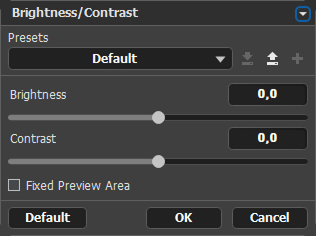
· Brightness-Contrast<br />
· Adjust Color Levels<br />
· Glow</p>
]]></content:encoded>
			<wfw:commentRss>http://www.alivecolors.com/?feed=rss2&amp;p=24</wfw:commentRss>
		</item>
		<item>
		<title>Magic Photo Editor 5.1</title>
		<link>http://www.alivecolors.com/?p=21</link>
		<comments>http://www.alivecolors.com/?p=21#comments</comments>
		<pubDate>Mon, 02 Mar 2009 17:02:50 +0000</pubDate>
		<dc:creator>admin</dc:creator>
		
		<category><![CDATA[Graphical editors]]></category>

		<guid isPermaLink="false">http://www.alivecolors.com/?p=21</guid>
		<description><![CDATA[


Magic Photo is a photo editor With Magic Photo, you can easily blend your digital photo onto another image (a beautiful landscape image etc) to create special effect. It makes your photo interesting and pretty. The features include: 1) There are 180 masks for you to choose, which changes your photo in different shapes then [...]]]></description>
			<content:encoded><![CDATA[
<!-- ALL ADSENSE ADS DISABLED -->
<p><a href="http://www.alivecolors.com/wp-content/uploads/2009/03/7.jpg"><img class="alignnone size-medium wp-image-22" title="7" src="http://www.alivecolors.com/wp-content/uploads/2009/03/7.jpg" alt="" width="199" height="159" /></a></p>
<p>Magic Photo is a photo editor With Magic Photo, you can easily blend your digital photo onto another image (a beautiful landscape image etc) to create special effect. It makes your photo interesting and pretty. The features include: 1) There are 180 masks for you to choose, which changes your photo in different shapes then blend it onto the backdrop image 2)Add 100 cliparts onto your photo, which make you photo more beautiful 3)Add 180 cartoon pictures onto your photo, which make you photo more interesting. 4)Add 60 outlines onto your photo, which make you photo more shining. 5)Add text comments onto your photo. 6)Add pretty frames onto your photo. There are 100 frames included. You can easily change the size and position of the photos, flowers, cartoon pictures or text just by clicking and dragging them. See samples at http://www.picget.net<span id="more-21"></span><br />
Editor review: Daily Reviews Team, 2006-06-13 01:10:10</p>
<p>Get Magic Photo Editor for giving the magical touch to your favorite digital photos.<br />
This standalone tool with its magical abilities to blend different photos into one is outstanding. This tool will softly blend two different digital photos into one to give it a stunning look. The tool is enhanced with effective editing features that will easily and quickly allow blending of photos and add some special effects to them. This easy to use tool can be used even by a novice user, all you have to do is click the new button, use the background option to load a background image, next you can load your photo, now with the options such as mask, flower and text you can easily choose mask, add floral effect to your photo and even write comments on your photo. The tool also allows you to add as many flowers, text or photos to the photo drop image and easily adjust the position and size of each and every photo and flower.<br />
Magic Photo Editor is a reliable tool that assures high quality output.</p>
]]></content:encoded>
			<wfw:commentRss>http://www.alivecolors.com/?feed=rss2&amp;p=21</wfw:commentRss>
		</item>
		<item>
		<title>Magic ASCII Studio 2.2.288</title>
		<link>http://www.alivecolors.com/?p=18</link>
		<comments>http://www.alivecolors.com/?p=18#comments</comments>
		<pubDate>Mon, 02 Mar 2009 17:01:06 +0000</pubDate>
		<dc:creator>admin</dc:creator>
		
		<category><![CDATA[Online Photo Editors]]></category>

		<guid isPermaLink="false">http://www.alivecolors.com/?p=18</guid>
		<description><![CDATA[


Magic ASCII Studio is a powerful ASCII Art generation platform. You can make ASCII Art Words, ASCII Art Photos and even ASCII Art Animations easily by using Magic ASCII Studio. Magic ASCII Studio can take an image and process it to an HTML, RTF, BMP or TEXT file of color-coded text characters, that when combined, [...]]]></description>
			<content:encoded><![CDATA[
<!-- ALL ADSENSE ADS DISABLED -->
<p><a href="http://www.alivecolors.com/wp-content/uploads/2009/03/6.gif"><img class="alignnone size-medium wp-image-19" title="6" src="http://www.alivecolors.com/wp-content/uploads/2009/03/6.gif" alt="" width="147" height="143" /></a></p>
<p>Magic ASCII Studio is a powerful ASCII Art generation platform. You can make ASCII Art Words, ASCII Art Photos and even ASCII Art Animations easily by using Magic ASCII Studio. Magic ASCII Studio can take an image and process it to an HTML, RTF, BMP or TEXT file of color-coded text characters, that when combined, resemble an image. It is an ASCII Art Photo. And the files are very worthy of being published to the Web or in the document. Also, you can make your individual ASCII Art Signatures in Magic ASCII Studio. Use them in your e-mails, documents or even in the forums on the web will be a good idea. In Magic ASCII Studio, drawing your own ASCII Art Photos is like drawing a picture in the Paint application of Windows. All these are very easy, no experience need.<span id="more-18"></span></p>
<p>Magic ASCII Studio can support add-in(s) which can enhance the functions of Magic ASCII Studio easily. And we will develop different kinds of add-in(s) for Magic ASCII Studio in the future.</p>
<p>A lot of ASCII Art resources have been embedded in the software. You can use, modify and manage them in Magic ASCII Studio. It&#8217;s convenient to use.</p>
<p>Very Easy and Very Wonderful!</p>
<p>Key features of Magic ASCII Studio:<br />
- Make ASCII Art Word(s), Photos and Animations<br />
- Visual ASCII Art making process<br />
- .BMP, .JPG, .GIF, and .ICO files support<br />
- Convert image to HTML, RTF, BMP and TEXT files<br />
- A lot of output modes for ASCII Art Photos/Animations<br />
- Many effects for the image you want to process<br />
- Built-In Image Editor for processing the image quickly<br />
- Add-in(s) support<br />
- ASCII Art resource management support<br />
- Windows XP appearance (in Win XP)<br />
&#8230;</p>
<p>Create your own beautiful and wonderful ASCII Art Photos by Magic ASCII Studio!<br />
Editor review: Daily Reviews Team, 2007-02-24 01:10:10</p>
<p>With Magic ASCII Studio creating ASCII Art Words, ASCII Art Photos and even ASCII Art Animations will no longer be a pain in the neck.<br />
With the help of this powerful ASCII Art generation platform you can do wonders with your images. Henceforth creating ASCII Art Words, ASCII Art Photos and even ASCII Art Animations will be on your finger tips. Pick up any image and process it to an HTML, RTF, BMP or TEXT file of color-coded text characters, these combinations resemble an image or the ASCII Art Photo. Further the images can be published to the web or in the document. The tool also supports in making individual ASCII Art Signatures. The tool also supports various add-in(s) that enhance its functions. Built in are various ASCII Art resources in the software. This tool with very simple interface supports an in-built Image Editor for processing the image quickly.<br />
The simple tool with many more powerful features also supports different effects for the image you want to process.</p>
]]></content:encoded>
			<wfw:commentRss>http://www.alivecolors.com/?feed=rss2&amp;p=18</wfw:commentRss>
		</item>
	</channel>
</rss>