

Get Creative with All-in-One Image Editor
Update Available!
- New Content-Aware Fill feature.
- New mode in Image Enlargement.
- Improved mask handling in Image Generation.
- Enhanced the Point Selection AI tool.
- And other improvements.
Download AliveColors (Windows, Mac, Linux).
FREE for non-commercial use.

AliveColors is a versatile cross-platform image editor, combining raster and vector tools in one powerful suite. It offers all the essential features you need, along with innovative technologies developed by AKVIS.
Edit photos, design graphics, and bring your ideas to life! Create without limits – free for personal use!


- User-Friendly Interface
- Flexible & Intuitive
- Easy Switch from Other Editing Programs
- Free Technical Support
- Multilingual Interface
- Graphics Tablets Support
- Academic Discounts
- Free for Home Users


- Color Correction Adjustments
- Unique Effects & Filters
- Artistic & FX Brushes
- Advanced Brush Editor
- Vector Shape Tools
- Neural Filters
- LUT Editor
- Batch Processing
- Built-in AKVIS Plugins
- Many Supported Formats


AliveColors provides everything you need to enhance your photos with precision and ease.
Improve image quality with noise reduction, focus correction, sharpness and blur adjustments, portrait retouching, color and tone correction, prepress tools, detail enhancement, and full RAW file editing - and much more.
For maximum efficiency, take advantage of Batch Processing to apply edits to multiple images at once, saving time while boosting productivity. Quickly enhance entire photo collections at once!


AliveColors comes with a powerful set of the AI filters (Artificial Intelligence) that use advanced neural network algorithms to process images quickly and effectively.
All cutting-edge features are completely free for personal use.
The Shape Tools enable you to create scalable vector graphics. Design vivid elements, elegant logos, eye-catching illustrations, stylish backgrounds, and polished layouts — all with professional precision and creative freedom.

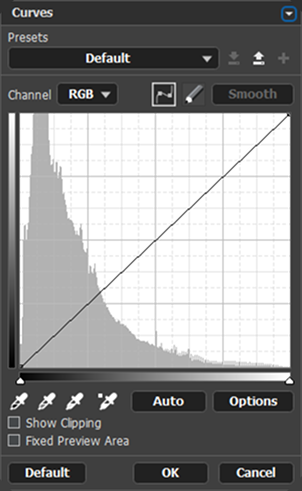

Optimize and enhance your photos with powerful adjustments and adjustment layers!
Experiment with color and tonal adjustments - all while keeping your original image safe, thanks to non-destructive editing.

Make complex cutouts effortless with AI-powered object selection tools that automatically detect and isolate objects in your image.
For tricky details, use Refine Edges to perfect boundaries with precision — ideal for hair, fur, or other hard-to-select elements.
These intelligent tools streamline your workflow and save valuable time on every design project.
Bring your ideas to life with powerful artistic tools and breathtaking stylization effects. Design unique projects, photo art, and create expressive illustrations with ease!
Transform ordinary photos into true works of art using artistic filters. Add depth and expression to your creations with custom brushes and rich textures.
